Updated November 8, 2026 · RoxServers
 Illustration: RoxServers guide overview.
The control panel operates your game server. Contracts and billing remain in the client area. Always select the correct service in the control panel.
Read the status
Running means the process has started; Stopped means it is stopped. A running process may still be loading its world or mods. Wait for startup to finish before connecting.
Choose an action
- Start: start a stopped server.
- Stop: request a normal shutdown after informing players and saving the world using the game's procedure.
- Restart: stop and start the server, disconnecting players.
Avoid repeated restarts during loading. Use Logs if startup does not finish.
Unresponsive servers
Un-Crash server! forces termination. Use it only when normal shutdown fails; unsaved changes can be lost. Reinstall is not a restart and can replace files. Keep a backup before reinstalling.
Scheduled restarts
Some games provide Set scheduled restarts. Check the displayed time zone and recurrence before saving. Availability depends on the game and account permissions.
Related guides
- control panel: edit configuration and back up server files
- control panel: prepare an update or install mods
- Server unreachable or slow: check logs before contacting support
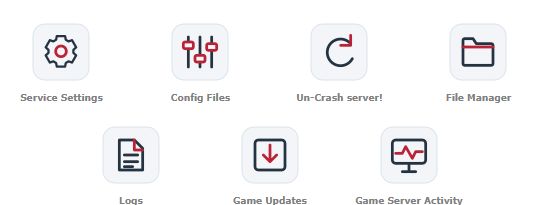 Menu excerpt from a Minecraft Bedrock demonstration server. Tools vary by game and permissions.
