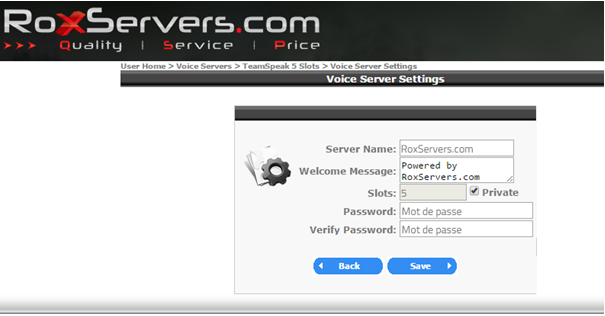
In the « Voice Servers » select your server and click « Voice Server Settings »
Next, check the « Private » and enter your password in the « Password » and « Verify Password ». Once done confirm by clicking Save.
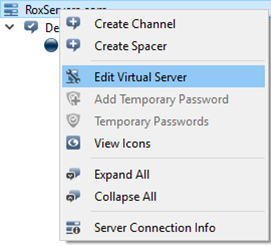
You can also put a password directly from the TeamSpeak, once connect to your TeamSpeak right click on your server then « Edit Virtual Server »
You can now write put a password in the « Password »
Do not forget to validate by clicking on « Apply »